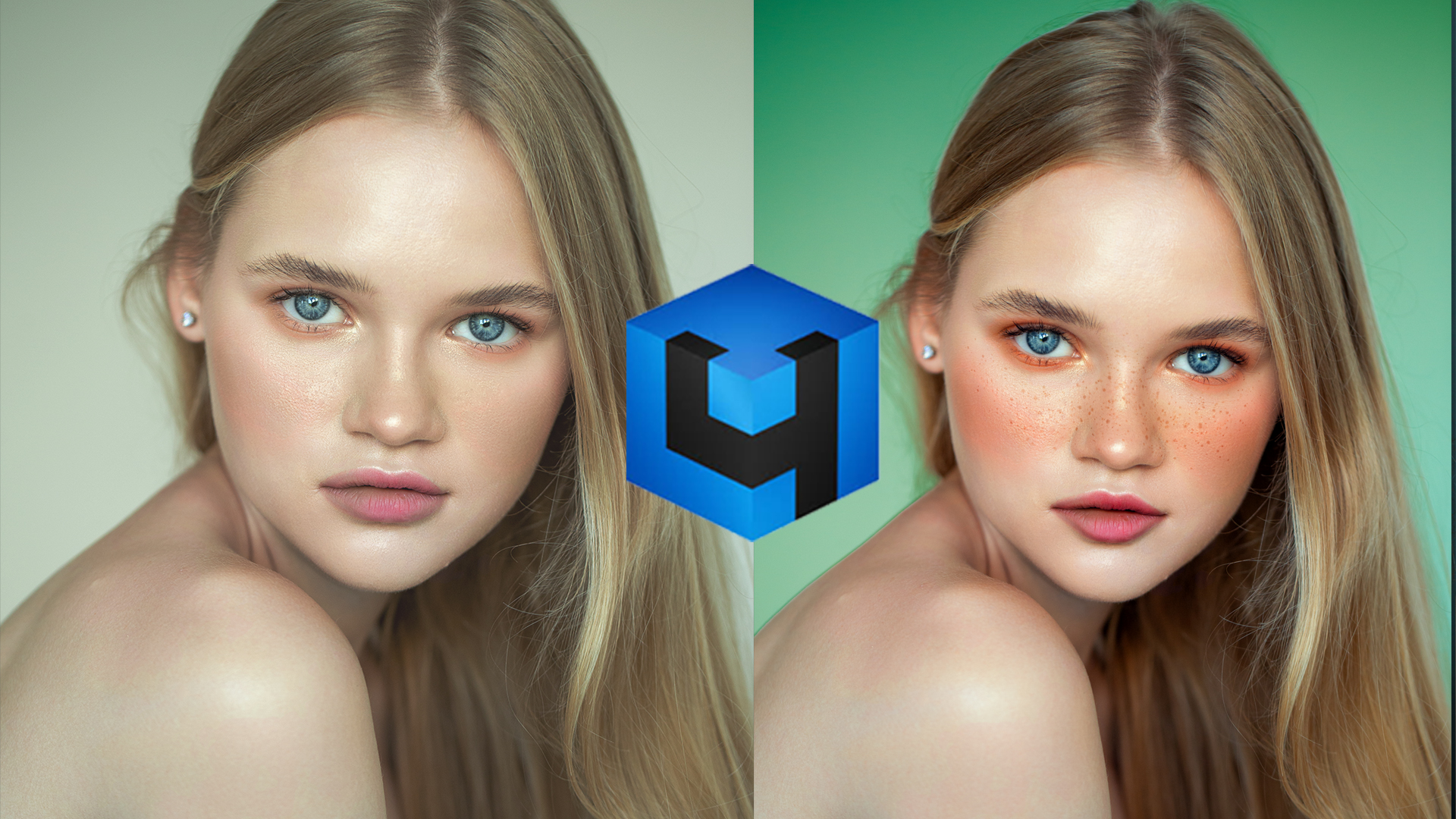
Photo retouching has always been one of the most time-consuming parts of photography. Whether you are editing portraits, fashion images, or commercial work, achieving natural skin retouching while preserving texture requires skill and patience.
Fortunately, modern AI tools are transforming this workflow. One of the most powerful solutions available today is Retouch4me, a collection of AI-powered plugins designed specifically for photographers and professional retouchers.
In this guide, we will explore what Retouch4me is, how it works, the most useful plugins, and why many professionals now include it in their editing workflow.
What is Retouch4me?
Retouch4me is a set of AI-powered plugins created to automate some of the most difficult tasks in portrait retouching while preserving natural skin texture and details.
Unlike many automated retouching tools that produce plastic or unrealistic results, Retouch4me uses advanced artificial intelligence trained on professional retouching techniques. The goal is not to replace retouchers but to speed up the workflow while maintaining high-end results.
These plugins can be used inside Adobe Photoshop or as standalone applications.
Retouch4me is particularly popular among:
- Portrait photographers
- Beauty photographers
- Fashion photographers
- Professional retouchers
- Wedding photographers
- Content creators
Why Retouch4me Is Popular Among Photographers
The popularity of Retouch4me comes from its ability to deliver natural-looking results in seconds.
Traditional retouching techniques such as dodge and burn, frequency separation, and manual skin cleanup can take a long time. Retouch4me dramatically reduces this time while still keeping the image professional.
Some major advantages include:
1. Natural Skin Texture
Many automated retouching tools blur the skin excessively. Retouch4me preserves natural texture, making the results look realistic.
2. Faster Workflow
Tasks that normally take 20–30 minutes can be completed in seconds.
3. Professional Quality
The AI was trained using professional retouching techniques used in beauty and editorial photography.
4. Non-Destructive Editing
Most plugins create results on separate layers, allowing photographers to control opacity and refine the final look.
Most Popular Retouch4me Plugins
Retouch4me offers several plugins designed to handle specific tasks in portrait retouching. Below are some of the most popular ones used by professionals.
Retouch4me Heal
Retouch4me Heal automatically removes skin imperfections such as:
- Pimples
- Acne
- Small blemishes
- Temporary skin spots
The plugin detects imperfections while preserving natural texture, making it ideal for quick portrait cleanup.
Retouch4me Dodge & Burn
Dodge and burn is one of the most important techniques in high-end retouching. However, it is also one of the most time-consuming processes.
Retouch4me Dodge & Burn automatically smooths uneven skin tones by adjusting light and shadow, creating a cleaner and more balanced appearance.
It is especially useful for:
- Beauty photography
- Fashion portraits
- High-end editorial images
Retouch4me Skin Tone
Skin tone consistency is essential in portrait photography. Uneven tones, redness, and color variations can make an image look unprofessional.
Retouch4me Skin Tone automatically balances skin colors while maintaining a natural look. It is particularly useful for fixing color inconsistencies caused by lighting.
Retouch4me Portrait Volumes
Portrait Volumes enhances the depth and structure of the face by adjusting light and shadow.
This helps create a three-dimensional look, giving portraits more dimension and visual impact.
Retouch4me Face Make
Face Make is one of the most interesting plugins in the Retouch4me lineup. It applies natural-looking digital makeup automatically, saving retouchers a significant amount of time.
It can enhance:
- Lip color
- Eyebrows
- Skin smoothness
- Facial contrast
This plugin is extremely useful for beauty photography and portrait editing.
Retouch4me Workflow for Professional Portrait Retouching
A typical professional workflow using Retouch4me might look like this:
- Import the image into Photoshop
- Use Retouch4me Heal to remove skin imperfections
- Apply Retouch4me Dodge & Burn for skin smoothing
- Correct color using Retouch4me Skin Tone
- Enhance depth using Portrait Volumes
- Perform final color grading and finishing touches
This workflow allows photographers to achieve high-end retouching results much faster than manual editing alone.
Retouch4me vs Traditional Retouching
Some photographers wonder whether AI tools like Retouch4me can replace manual retouching.
The truth is that Retouch4me is best used as a workflow accelerator, not a replacement for skill.
Professional retouchers still refine images manually when necessary. However, Retouch4me handles repetitive tasks so artists can focus on creativity.
In other words, the best results often come from combining AI tools with manual techniques.
Who Should Use Retouch4me?
Retouch4me is ideal for anyone working with portrait images.
Photographers
Wedding and portrait photographers can dramatically reduce editing time.
Retouchers
Professional retouchers can speed up their workflow while maintaining quality.
Content Creators
Social media creators and influencers can achieve polished results quickly.
Photography Students
Beginners can learn professional retouching workflows more easily.
Is Retouch4me Worth It?
For many photographers, the answer is yes.
The plugins can save hours of editing time while still delivering professional results. When used properly, they become a powerful addition to any retouching toolkit.
Instead of spending hours cleaning up skin manually, photographers can focus on creativity, composition, and storytelling.
Final Thoughts
Artificial intelligence is rapidly changing the way photographers edit images. Tools like Retouch4me make it possible to achieve high-quality results much faster than before.
However, the real power comes from combining AI automation with artistic control.
If you want to improve your portrait editing workflow and save time during retouching, Retouch4me is definitely worth exploring.
⭐ Recommended:
Try Retouch4me plugins here